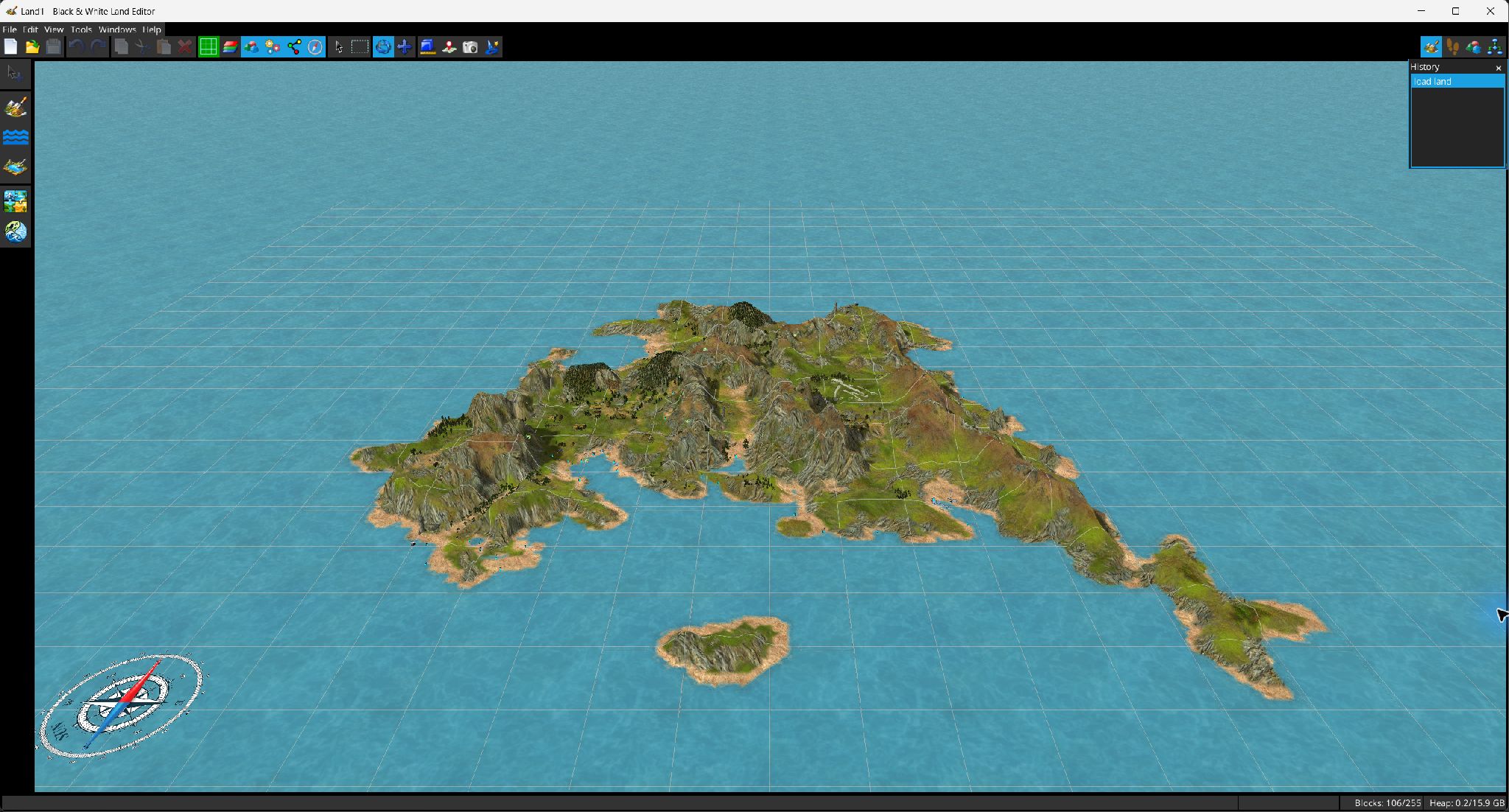
The main screen combines a central 3D viewport, a menu bar, a general toolbar, a mode-specific toolbar and dockable utility windows.
| Button | Purpose |
|---|
 New / New /  Open / Open /  Save Save | Create a project, open .lnd/.txt, or save all modified project components. |
 Undo / Undo /  Redo Redo | Move through the edit history. The menu and tooltips include the current edit description. |
 Copy / Copy /  Cut / Cut /  Paste / Paste /  Delete Delete | Operate on the current cell or object selection. Pasted terrain is positioned interactively; pasted objects are centered around the current camera pivot. |
 Grid Grid | Cycles grid display: none, sea only, everywhere. |
 Cell attributes Cell attributes | Cycles cell overlays: off, properties, sounds. |
 Objects Objects | Cycles object visibility: off, all, built, planned. |
 Virtual objects Virtual objects | Shows/hides helper or virtual object representations. |
 Links Links | Shows/hides object relationship links. |
 Compass Compass | Shows/hides the 3D compass. |
 Pointer Pointer | Select and drag objects directly in the viewport. |
 Selection Selection | Polygon selection for landscape cells or objects, depending on the current edit mode. |
 Orbit / Orbit /  Pan Pan | Camera navigation tools. |
 Measure / Measure /  Pick coordinate Pick coordinate | Measure distance between points or read/pick a world coordinate. |
 Screenshot Screenshot | Renders the 3D view to an image and asks where to save it. |
The status bar shows context messages, cursor XYZ coordinates, used/max landscape blocks and Java heap usage. Dockable windows include Block Inspector, Object Attributes, Catalog, LHX Tree, LHX Script, Camera Info, Edit History and Console.


 New
New Add
Add Subtract
 Intersect