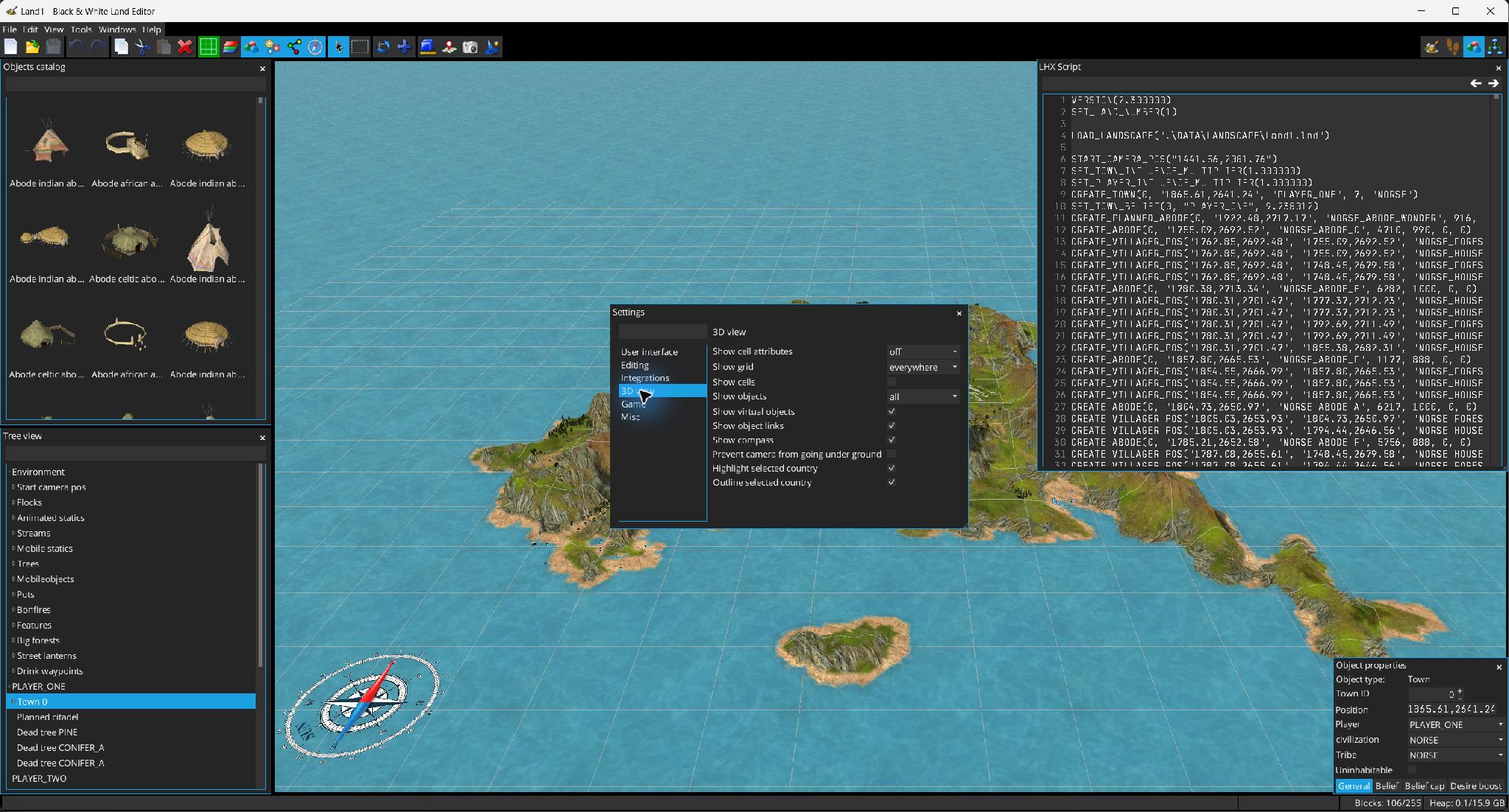
Open preferences from . The Settings window is searchable and groups options by category.
| Category | Setting | Meaning / default |
|---|---|---|
| UI | Language | System/default language at first run; selectable from available translations. |
| Editing | Autosave | Enable periodic normal saves. |
| Editing | Autosave interval | 1–60 minutes; default 10. |
| Editing | Maximum undo | 1–1000 edits; default 50. |
| Integrations | HTTP port | Default 8086. |
| Integrations | External editor port | Default 8085. |
| Game | Game directory | Folder used to locate Black & White resources and landscapes referenced by LHX scripts. |
| 3D view | Cell attributes | Off / Properties / Sounds. |
| 3D view | Grid | None / Sea / Everywhere. |
| 3D view | Show cells | Toggles cell-level visualization. |
| 3D view | Objects | Off / All / Built / Planned. |
| 3D view | Virtual objects | Show helper/virtual objects. |
| 3D view | Links | Show object relationship links. |
| 3D view | Compass | Show the compass. |
| 3D view | Prevent camera underground | Constrains orbiting to avoid terrain penetration/close occlusion. |
| 3D view | Highlight selected country | Shade non-selected countries. |
| 3D view | Outline selected country | Draw selected-country outline. |
| Misc | Maximum recent files | 0–15; default 5. |
| Misc | Metadata store | Embedded or External. |
| Misc | Image save quality | 0.2–1.0; default 0.8. |
| Misc | Auto-recovery | Enable temporary recovery copies. |
| Misc | Auto-recovery interval | 1–10 minutes; default 1. |
| Misc | Console popup | Show console automatically when applicable. |