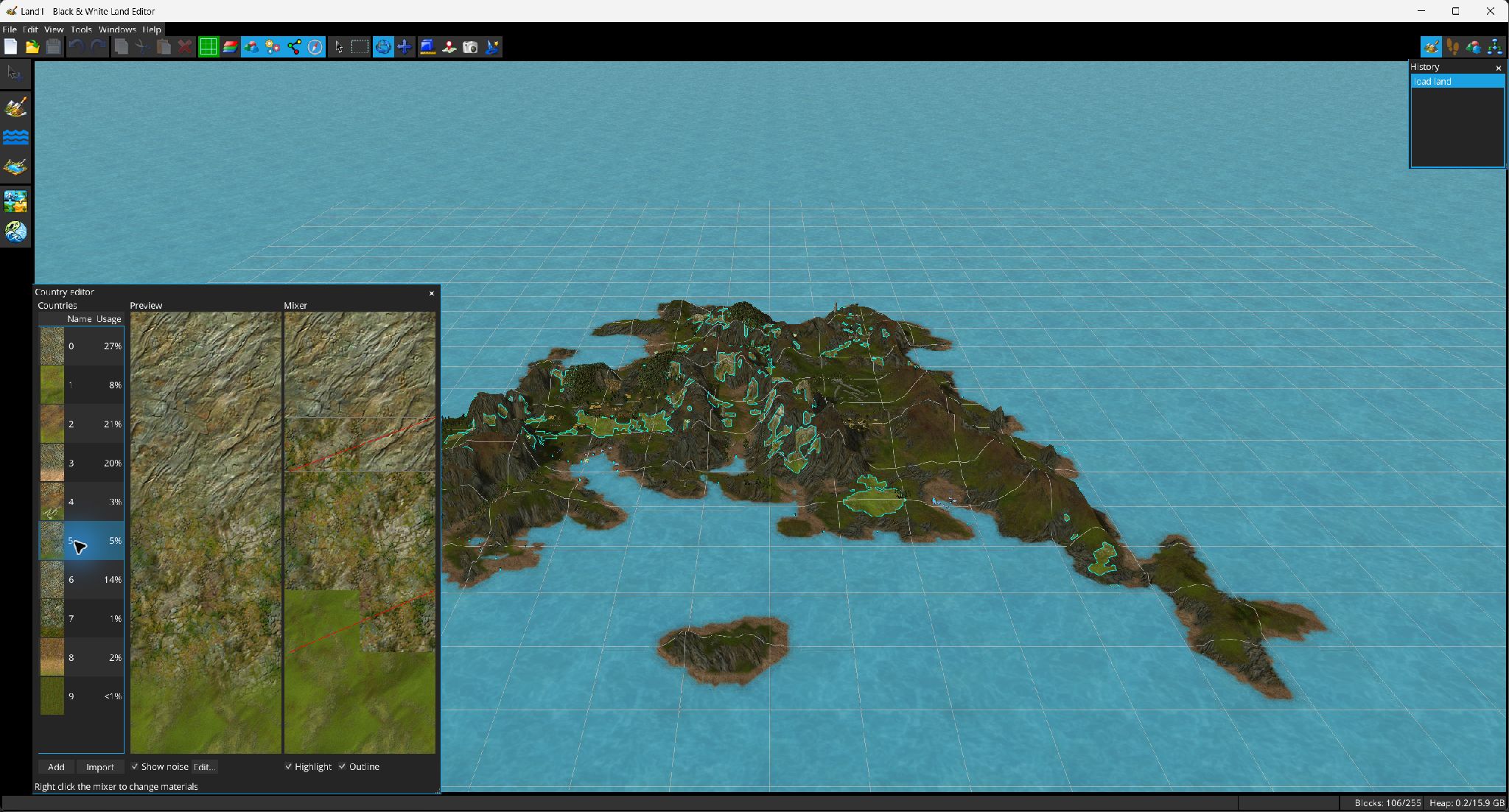
A country defines how terrain materials change with elevation/noise and is the main surface classification stored in landscape cells.
Open . The list shows a thumbnail, name and approximate percentage of cells using each country. The editor provides Add and Import controls.
| Replace occurrences | Reassigns cells using this country to another destination country. |
| Copy from / Duplicate | Copies terrain type, material map and name from another country, or clones the selected country. |
| Import from / Export | Reads from .lndc or another .lnd; exports to .lndc. |
| Set terrain type / Rename | Edits metadata. |
| Swap / Remove | Only enabled when the involved country is not in use, protecting live cell indexes. |
The mixer represents the country's material stack over elevation. Drag control points vertically to move transitions. Right-click the mixer to split a transition up/down, insert a material, change a material or remove a material when the current layout allows it.
The preview can display the noise contribution. Change Noise Map opens the Noise Map Editor. The Country Editor can also shade unselected countries and outline the selected country in the main 3D viewport.