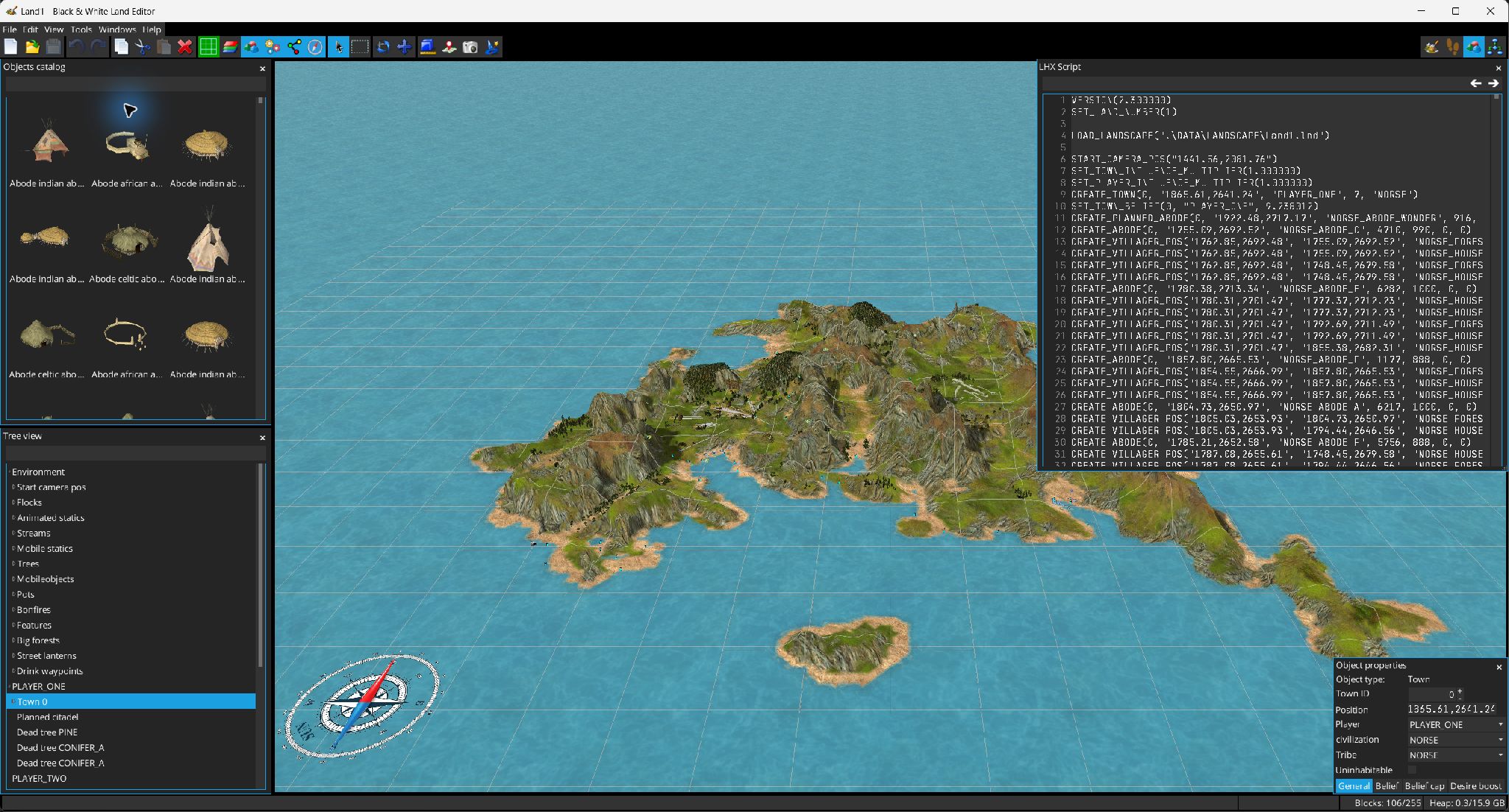
The LHX Script window is a line-oriented editor directly backed by the current LHX statement list. Editing a statement updates the 3D object representation, and selecting one rendered object can reveal its script row.
The LHX Script window alongside the landscape, object tree and selected-object properties. Full resolution
Editing
Each line is parsed as an LHX statement. Valid commands, comments and invalid statements use different styles.
Enter at the start/end of a line inserts a new statement before/after it.
Deleting an empty line with Backspace or Delete removes that statement.
Arrow keys can move between adjacent rows at line boundaries; Page Up/Down move by visible pages.
The search field finds text through the script with previous/next controls and resumes/wraps as appropriate.
Position awareness
Hovering a command that has a position shows a temporary marker in the 3D view. Selection is synchronized both ways between the script and rendered objects.
Land attributes
Edit → LHX Settings opens a structured editor for script-level land properties. The supplied source includes:
general settings such as version, land number/landscape path, town/player influence multipliers, day duration and day/night/dawn ratios;
computer-player configuration;
balance properties;
firefly spell probabilities;
skirmish settings including number of players and start/game messages.
Camera helper
Script mode opens Camera Info, which exposes current camera position/look-at data and can generate/copy camera set/move commands for use in scripts.