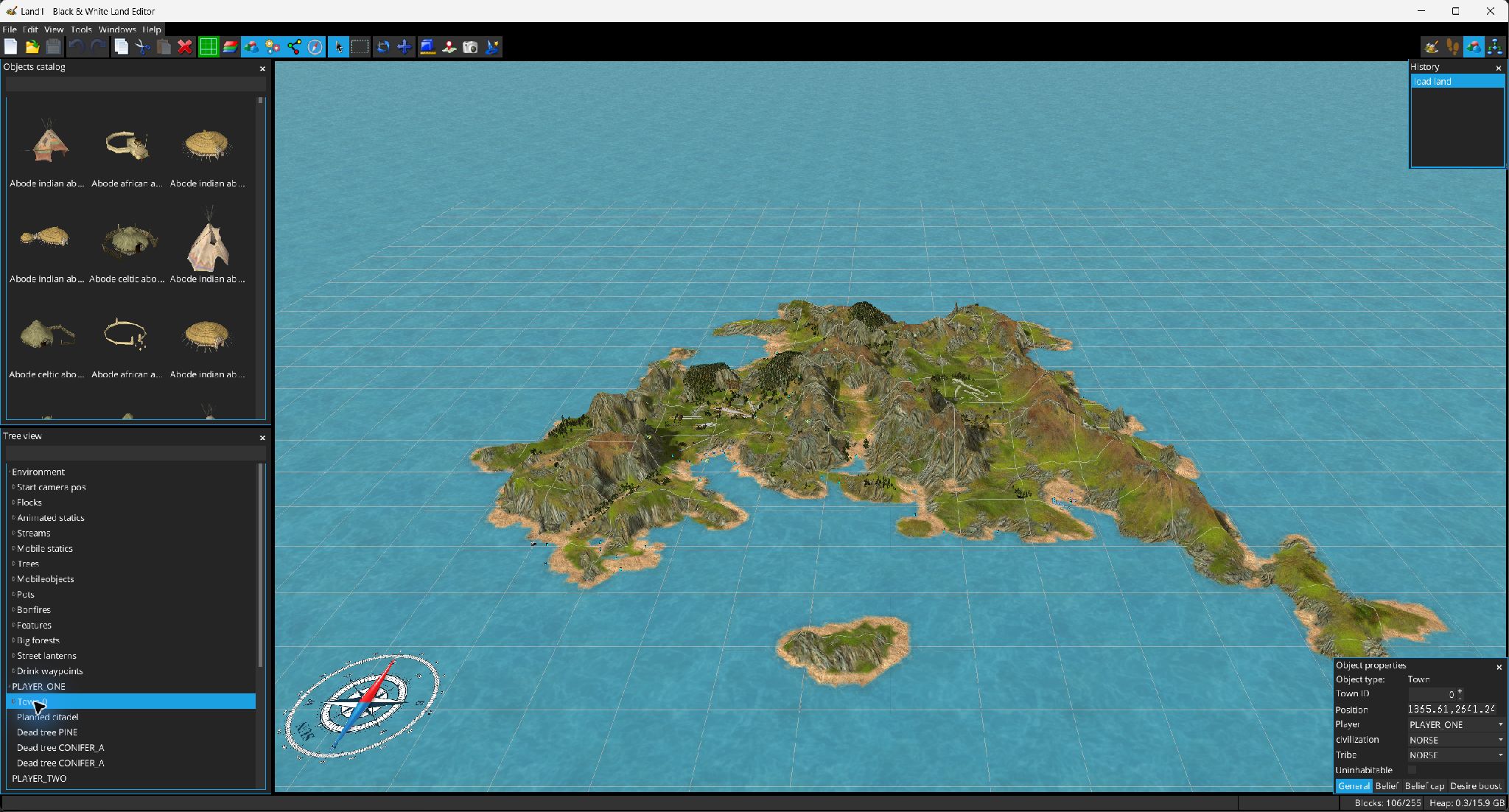
Object Placement mode edits LHX object-creation statements through a 3D workflow while keeping the script synchronized.
Switch to  Object Placement. The Catalog window displays searchable model previews loaded from the game resources. Drag an item from the catalog onto valid terrain; invalid/out-of-bounds drops are highlighted and rejected.
New statements receive their object type, position, age and a new ID when required. Depending on the command, the editor also attempts to infer relationships:
The Pointer tool  selects objects. Ctrl-click toggles an object's selection. Dragging moves the selected objects as a group; starting a drag while holding Ctrl duplicates the selected statements first.
The polygon Selection tool supports New/Add/Subtract/Intersect. Right-clicking objects opens commands to refine/extend the selection, select parents/siblings/children/descendants, reveal an object in the LHX Tree, copy, cut or delete.
The Object Attributes window is generated from the selected command's argument schema. It supports coordinate fields, floats/integers, booleans, strings and enumerated argument choices. Position/rotation/scale/age constraints are adapted to the command. Duplicate IDs are flagged.
Specialized panels are available for town belief, belief caps and desire boosts; abodes show villagers/children counts and relevant object flags such as planned/dead/uninhabitable where supported.
The tree provides a searchable hierarchy of rendered LHX objects and follows selection in the 3D view. Parent/child links correspond to the relationships rendered by the Links overlay.